

Managing passwords across a private blog network is one of those operational tasks that rarely gets discussed in link-building circles, yet poor credential hygiene is one of the most common reasons PBN operators lose access to their own sites, expose their network structure, or create footprints that undermine months of careful setup work. Whether you operate five PBN sites or five hundred, a structured approach to credential management protects your investment, keeps your network compartmentalized, and reduces the operational risk of a single compromised login cascading across your entire setup.
Key Takeaways
- Each PBN site should use a unique username and password combination to prevent a single credential breach from exposing the entire network.
- A dedicated password manager is the most practical tool for storing, generating, and retrieving credentials across dozens or hundreds of PBN properties.
- Credential footprints — such as reusing the same admin email or username across multiple sites — can link PBN properties together in ways that undermine network compartmentalization.
- Access control matters beyond passwords: limit who can log into each site, use role-based permissions carefully, and audit active user accounts regularly.
- Recovery planning is as important as initial setup; losing access to a PBN site because of a forgotten password or a locked hosting account can mean losing a valuable domain placement.
Why Credential Management Matters for PBN Operators
A private blog network typically consists of multiple independent websites, each hosted separately, registered under different details, and managed through its own CMS login, hosting control panel, and domain registrar account. The operational surface area is large. A network of twenty sites might involve twenty separate WordPress admin accounts, twenty hosting logins, twenty registrar accounts, and potentially additional credentials for CDN providers, email accounts, and third-party plugins. Without a deliberate system, operators tend to fall back on patterns: reusing passwords, cycling through a small set of usernames, or using the same admin email address across properties. Each of these shortcuts creates both a security vulnerability and a potential footprint.
The footprint concern is specific to PBN operations. If multiple sites share an admin email address, a registrar account, or an identical username, that shared detail can appear in WHOIS records, server logs, or CMS metadata in ways that link the properties together. Compartmentalization — keeping each site operationally distinct — is a core principle of PBN management, and credential practices are a meaningful part of that. Unique credentials per site are not just a security best practice; they are part of maintaining the independence of each network property.
The Core Problem: Scale Without a System
Most PBN operators start small. With two or three sites, it is easy to remember login details or store them in a text file. As the network grows, that informal approach breaks down quickly. The practical problems that emerge without a credential management system include lost access to sites after a hosting migration, inability to hand off management to a team member without exposing all credentials at once, and difficulty auditing which accounts are active across the network. There is also the compounding risk that a single compromised credential — perhaps from a data breach at a shared hosting provider — can give an attacker access to multiple sites if passwords have been reused.
A structured credential management approach solves these problems by treating each PBN property as an isolated unit with its own login ecosystem. This requires slightly more setup time initially but significantly reduces operational friction and risk as the network scales.
Choosing a Password Manager for PBN Use
A dedicated password manager is the most practical foundation for PBN credential management. Password managers generate strong, unique passwords for each account, store them in an encrypted vault, and allow retrieval without requiring the operator to memorize or manually record dozens of login strings. For PBN operators, the relevant features to evaluate include vault organization, team access controls, and the ability to store structured notes alongside credentials.
Vault organization matters because a PBN credential set for a single site typically includes more than one login. For each property, an operator may need to store the WordPress admin username and password, the hosting control panel login, the domain registrar credentials, any associated email account details, and plugin license keys. A password manager that supports folders, tags, or custom fields allows all of these to be grouped by site, making it straightforward to retrieve everything related to a specific domain without searching through an unorganized list.
Team access controls become relevant when more than one person manages the network. Some password managers allow shared vaults or granular sharing, so a content writer can be given access to the WordPress login for a specific site without seeing the hosting or registrar credentials. This limits exposure and makes it easier to revoke access when a team member’s role changes.
Well-established password manager options used by SEO professionals and web operators include Bitwarden, 1Password, and Dashlane, among others. Each has different pricing structures and feature sets. The right choice depends on team size, budget, and whether a self-hosted option is preferred for additional control. Evaluating current feature availability and pricing directly from each provider is advisable, as these details change over time.
Structuring Credentials to Avoid Footprints
Beyond simply storing passwords, PBN operators need to think carefully about what credentials they create in the first place. Several common patterns create linkable footprints across network properties.
Admin Usernames
WordPress installations default to suggesting “admin” as the username during setup, and many operators either use this default or cycle through a small set of personal usernames across their sites. A unique, randomized username for each site’s administrator account reduces the chance that a username pattern links properties together. This is straightforward to implement during site setup and costs nothing beyond a few extra seconds of configuration.
Admin Email Addresses
The email address associated with a WordPress admin account appears in the database and is used for password recovery. Using the same email address across multiple PBN sites creates a direct link between those properties. Operators who take compartmentalization seriously typically use a unique email address per site, often created through a separate email provider or a custom domain associated with that specific property. This adds overhead but is one of the more meaningful footprint-reduction steps available at the credential level.
Password Patterns
Human-generated passwords often follow recognizable patterns even when the operator believes they are being varied. A password manager’s built-in generator eliminates this problem by producing genuinely random strings. Using generated passwords rather than manually constructed ones removes one more potential linking signal from the network’s operational profile.
Hosting Account Consolidation
Many PBN operators use multiple hosting providers to distribute their sites, but within each provider they may manage several sites under a single hosting account. The credentials for that hosting account then become a single point of failure and a potential footprint. Where possible, separating sites across different hosting accounts — even within the same provider — limits the blast radius of a credential compromise and reduces the number of sites that share a visible account relationship.
Organizing Credentials Across a Large Network
For networks with more than a handful of sites, a consistent naming and organization convention inside the password manager vault makes day-to-day management significantly easier. A practical approach is to create one vault entry or folder per domain, named by the domain itself, and to store all associated credentials within that entry using custom fields or secure notes. A typical entry for a single PBN site might include the following fields: domain name, WordPress login URL, WordPress admin username, WordPress admin password, hosting provider name, hosting control panel URL, hosting username, hosting password, registrar name, registrar login URL, registrar username, registrar password, associated email address, and any relevant notes such as renewal dates or plugin license information.
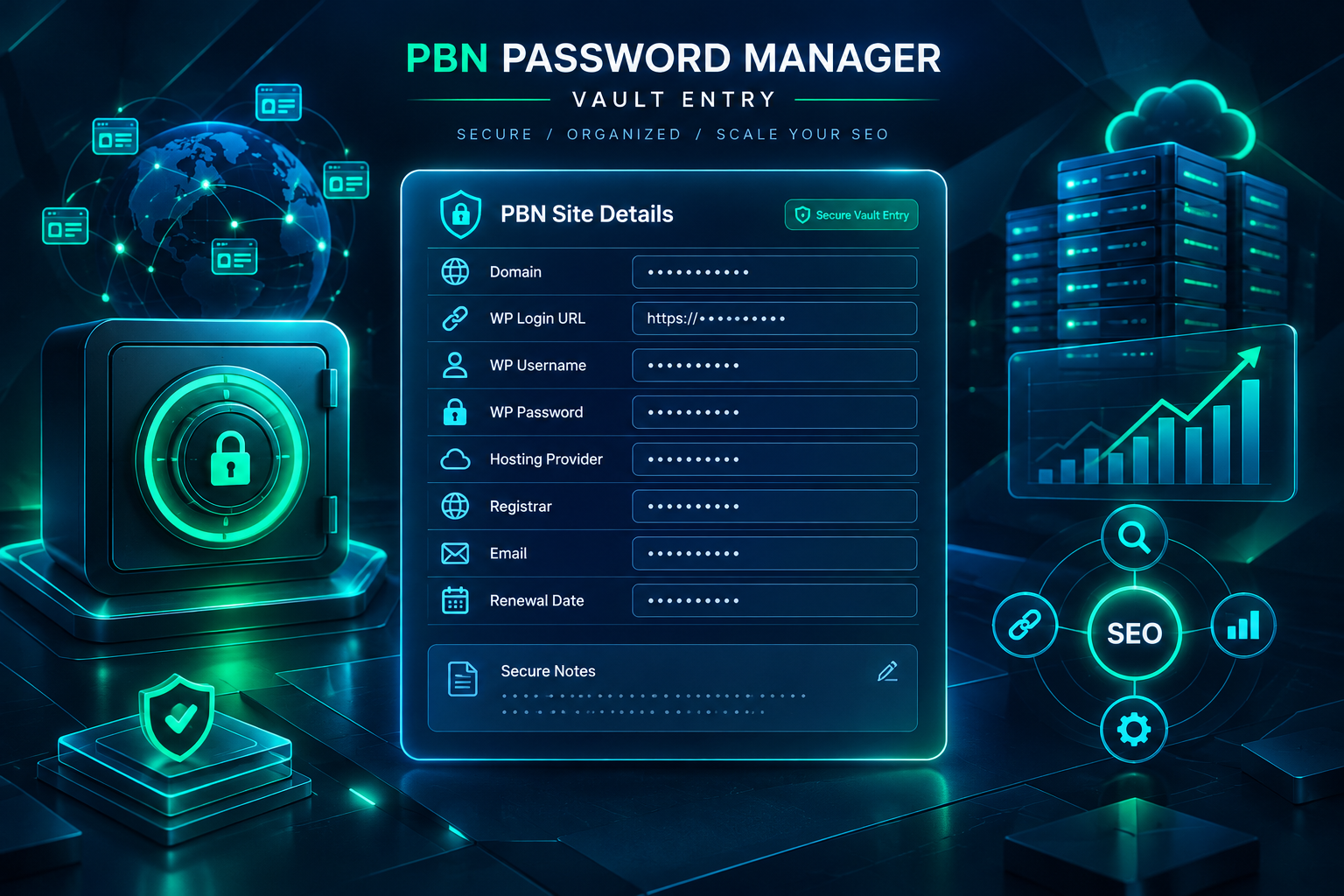
Storing renewal dates alongside credentials is a practical addition that prevents domain expiry from catching an operator off guard. A lapsed domain registration can result in losing a carefully built PBN property, and the credential management system is a natural place to track this information since it is already the central reference point for each site’s operational details.
Two-Factor Authentication and PBN Management
Two-factor authentication (2FA) adds a second verification step to the login process, typically a time-based one-time code generated by an authenticator app. Enabling 2FA on hosting control panels and registrar accounts significantly reduces the risk of unauthorized access even if a password is compromised. For WordPress admin accounts on PBN sites, 2FA is available through plugins and is worth considering for sites that hold significant link equity or are difficult to replace.
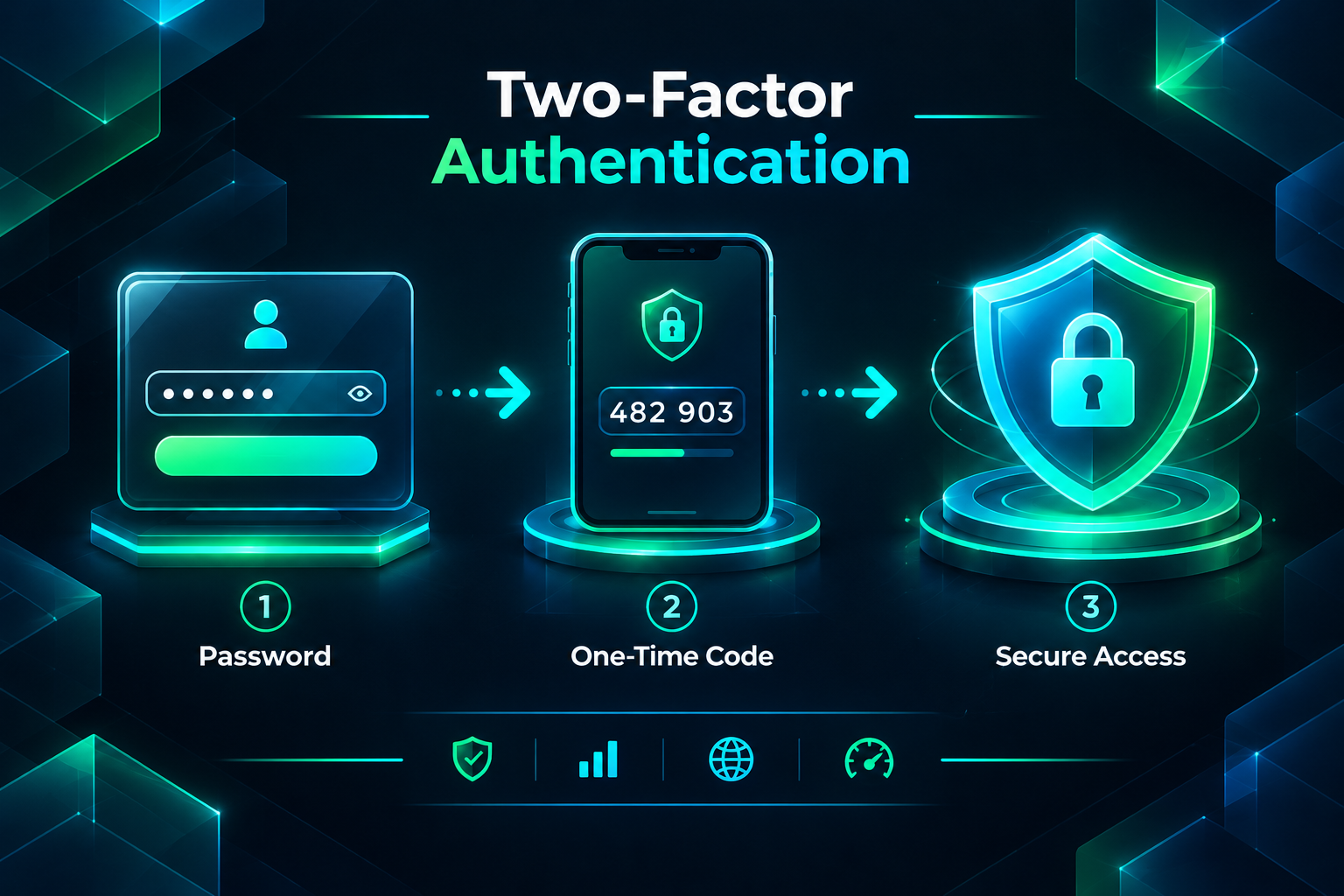
The practical challenge with 2FA in a PBN context is managing the authenticator codes across many sites. Most password managers now support TOTP (time-based one-time password) storage, allowing the 2FA codes to be stored alongside the corresponding passwords in the vault. This keeps everything in one place and avoids the problem of losing access to a site because the authenticator device is unavailable. When evaluating a password manager for PBN use, checking whether it supports TOTP storage is worthwhile.
Registrar accounts and hosting control panels are the highest-priority targets for 2FA because losing access to either can mean losing control of a domain or an entire hosting environment. WordPress admin accounts are a secondary priority, since they can often be recovered through hosting-level database access if necessary, whereas a locked registrar account with no recovery option is a more serious problem.
Access Control for Teams and Outsourced Management
PBN operators who work with content writers, link builders, or virtual assistants face a specific credential management challenge: how to give team members the access they need without exposing the full network structure or creating unnecessary security risk. The principle of least privilege applies here — each person should have access only to the specific sites and account types required for their role, and no more.
For content management, this typically means creating a WordPress user account with Editor or Author role permissions rather than sharing the Administrator credentials. An Editor can publish and update content without being able to install plugins, change site settings, or access the full admin panel. Creating role-appropriate accounts for each team member, rather than sharing a single admin login, also makes it straightforward to revoke access when someone leaves the project without needing to change the master password and update it across all stored locations.
When a team member needs temporary access to a specific site, some operators use a password manager’s sharing feature to grant time-limited access to a single vault entry rather than sharing the full vault. This approach keeps the broader network structure invisible to individual team members while still allowing them to do their work. After the task is complete, the shared access can be revoked and the password rotated as a precaution.
Recovery Planning: What Happens When Access Is Lost
Even with a well-organized credential management system, access loss can occur. A hosting provider may lock an account for non-payment or a terms-of-service issue. A domain registrar may require identity verification that was not anticipated. A WordPress site may become inaccessible due to a plugin conflict that locks the admin panel. Having a recovery plan for each of these scenarios prevents a temporary access problem from becoming a permanent loss.
For WordPress sites, the most reliable recovery method when the admin panel is inaccessible is direct database access through the hosting control panel’s phpMyAdmin or equivalent tool. This allows an administrator to reset the WordPress admin password at the database level without needing the existing login credentials. Knowing how to do this, or having a team member who does, is a practical safeguard for any PBN operator managing multiple WordPress installations.
For registrar accounts, recovery typically depends on access to the email address associated with the account. This reinforces the importance of using email addresses that the operator controls and can access reliably. If a registrar account email is tied to a domain that has since expired or been transferred, recovery becomes significantly more difficult. Keeping registrar account email addresses on stable, long-term email providers — rather than on domains that may themselves lapse — is a straightforward precaution.
Hosting account recovery usually involves identity verification with the provider. Keeping records of the account registration details, including the name, address, and payment method used, makes this process smoother. These details can be stored as secure notes in the password manager alongside the hosting credentials.
Auditing and Maintaining Credentials Over Time
A credential management system requires periodic maintenance to remain effective. Passwords that were set during initial site setup may be years old, and some hosting providers or registrars may have experienced data breaches in the intervening period. A regular audit — reviewing all stored credentials, checking for reused passwords, and rotating any that appear in known breach databases — keeps the system current.
Most password managers include a built-in audit or health check feature that flags reused passwords, weak passwords, and credentials that appear in publicly known breach datasets. Running this audit periodically and addressing the flagged items is a low-effort way to maintain credential hygiene across a large network without manually reviewing every entry.
Auditing active user accounts on each WordPress site is a separate but related task. Over time, PBN sites may accumulate user accounts created for content writers, guest contributors, or testing purposes that are no longer needed. Inactive accounts with login credentials represent unnecessary access points. Reviewing and removing unused accounts as part of a periodic site maintenance routine reduces this exposure.
Frequently Asked Questions
Should every PBN site have a completely different password?
Yes. Using a unique password for each site means that if one set of credentials is compromised — through a hosting breach, a phishing attempt, or a data leak — the exposure is limited to that single property. A password manager makes generating and storing unique passwords for every site practical without requiring the operator to memorize them.
Is it safe to store PBN credentials in a cloud-based password manager?
Reputable password managers encrypt vault data locally before syncing it to their servers, meaning the provider cannot read the stored credentials. The main risk is the master password itself: if the master password is weak or reused elsewhere, the vault is vulnerable. Using a strong, unique master password and enabling two-factor authentication on the password manager account addresses the primary risk. Operators who prefer not to use cloud storage can choose a self-hosted or offline password manager instead.
How do I handle credentials when buying a PBN site from another operator?
When acquiring an existing PBN site, change all credentials immediately after the transfer is complete. This includes the WordPress admin password and username, the hosting account password, the registrar account password, and the associated email address if possible. The previous owner should no longer have any active access after the transfer. Verify that no additional user accounts exist in the WordPress installation that were not disclosed during the sale.
What is the best way to share a single PBN site’s credentials with a content writer?
The preferred approach is to create a separate WordPress user account with Editor or Author permissions for the content writer, rather than sharing the Administrator credentials. If the writer needs temporary access to the admin panel for a specific task, use a password manager’s sharing feature to grant time-limited access to that single entry, then revoke it and rotate the password after the task is complete.
How often should PBN passwords be rotated?
There is no universal schedule that applies to every network. A practical approach is to rotate passwords for any account that has been shared with a team member who no longer needs access, any account associated with a hosting provider or registrar that has disclosed a data breach, and any account flagged by a password manager audit as appearing in a known breach dataset. Routine rotation of all passwords on a fixed schedule is less important than targeted rotation based on actual risk events.
Can credential footprints actually link PBN sites together?
Shared credentials themselves are not directly visible to search engines in the way that IP addresses or WHOIS records might be. However, the email addresses associated with WordPress admin accounts, registrar accounts, and hosting accounts can appear in various records and databases. Using the same email address across multiple PBN properties creates a linkable data point that exists outside the sites themselves. The degree to which this constitutes a meaningful footprint depends on how that data is accessed and analyzed, but minimizing shared identifiers across properties is a straightforward precaution that costs little to implement.
Building a Credential System That Scales With Your Network
Credential management for a private blog network is fundamentally an operational discipline. The technical tools — password managers, 2FA apps, role-based WordPress accounts — are straightforward to implement. The more demanding part is establishing consistent habits: creating unique credentials for every new site from the outset, organizing them systematically in the vault, auditing them periodically, and updating them promptly when team access changes. Networks that build these habits early find that scaling from ten sites to fifty or a hundred introduces relatively little additional credential management overhead, because the system is already in place.
For operators who are building or expanding a PBN and want to ensure that the underlying infrastructure — including domain selection, hosting distribution, and site setup — supports a well-compartmentalized network, reviewing the full setup process with an experienced provider can surface operational details that are easy to overlook. PBN Backlinks Service works with operators at various stages of network development and can help assess whether a planned or existing network structure aligns with the goals of the campaign it is intended to support. Discussing your network’s current setup and link-building objectives is a practical starting point for identifying where credential management and broader operational practices may benefit from a more structured approach.