

When you restore or repurpose an expired or aged domain for a private blog network, the site often carries residual personal data from its previous owner — information embedded in WHOIS records, archived pages, CMS user profiles, database entries, and cached content. Leaving that legacy data in place creates both a privacy compliance exposure and a network footprint risk, since identifiable ownership details can link otherwise separate PBN properties together. This guide explains where old personal data typically hides on restored PBN sites, how to locate it systematically, and the practical steps for removing or replacing it before the site goes live as part of your network.
Key Takeaways
- Restored PBN sites frequently retain personal data from previous owners in WHOIS records, archived content, CMS databases, and plugin or theme files — each requiring a separate review process.
- WHOIS privacy protection through your registrar is one of the fastest ways to suppress legacy ownership details, but it does not remove data already indexed or archived by third-party services.
- WordPress and other CMS platforms store user data in database tables that must be reviewed and cleaned directly, not just through the admin interface.
- Web archive snapshots, Google’s cached pages, and third-party backlink databases may retain old personal data independently of what you change on the live site.
- Systematic data removal reduces both privacy compliance risk and the network footprint that can connect PBN properties through shared ownership signals.
Why Legacy Personal Data Appears on Restored PBN Sites
Expired and aged domains change hands with a history attached. The previous owner may have run a legitimate business, a personal blog, or a content site, and that operation left traces across multiple layers of the web. When you acquire the domain and restore the site — whether from a backup, a Wayback Machine snapshot, or a fresh CMS installation on the same domain — some of that historical data persists in places that are easy to overlook.
The most common sources of legacy personal data on a restored PBN site include the domain’s WHOIS registration record, the site’s archived pages on services such as the Internet Archive, residual CMS user accounts and author profiles, database records from the previous installation, contact forms and submission logs, embedded metadata in uploaded images and documents, and third-party service integrations such as analytics tags, comment systems, or email marketing scripts that still reference the former owner’s account credentials or identifiers.
From a network management perspective, this matters for two distinct reasons. First, privacy regulations in many jurisdictions — including GDPR in Europe and similar frameworks elsewhere — impose obligations on whoever controls a domain and its associated data, regardless of whether that person created the data originally. Second, from a PBN footprint standpoint, personal data that links multiple domains to the same individual or organization can expose the network’s structure to anyone conducting ownership research, whether that is a competitor, a journalist, or a search engine’s quality review process.
Auditing a Restored Site for Personal Data Before Cleanup
A structured audit before cleanup prevents gaps. Attempting to remove data without first mapping where it exists typically results in missed entries that remain discoverable long after the site goes live.
WHOIS and Domain Registration Records
The WHOIS record for a domain is publicly queryable and historically has displayed the registrant’s name, organization, email address, phone number, and mailing address. Even after a domain transfer, some registrars carry forward the previous registrant’s details until the new owner explicitly updates them. Check the current WHOIS output for your domain using a tool such as ICANN’s WHOIS lookup or your registrar’s own interface. If the record still shows the previous owner’s personal details, update the registration contact information to your own details or a privacy-compliant placeholder, and enable WHOIS privacy protection if your registrar offers it. WHOIS privacy replaces the displayed contact fields with the registrar’s proxy details, which prevents the previous owner’s data from remaining publicly visible under your management.
Internet Archive and Cached Snapshots
The Wayback Machine at archive.org stores snapshots of web pages over time, and those snapshots may contain the previous owner’s name, contact details, author bylines, business address, or other personally identifiable information embedded in the page content. You cannot edit archived snapshots directly, but the Internet Archive does provide an exclusion mechanism. Adding a properly formatted robots.txt rule that disallows the Wayback Machine’s crawler — specifically the ia_archiver user agent — will prevent new snapshots from being taken. For existing snapshots containing personal data, the Internet Archive operates a request process through which site owners can ask for specific URLs or entire domains to be excluded from public access. This process requires demonstrating that you are the current domain owner, typically through a verification step.
Google’s cached version of pages is a separate concern. Cached pages update as Googlebot recrawls the site, so once you have replaced or removed the content containing personal data and the page has been recrawled, the cached version should update accordingly. You can accelerate this by requesting recrawling through Google Search Console after making changes. Bing and other search engines operate similar cache refresh mechanisms through their respective webmaster tools.
CMS Database and User Records
If the restored site runs on WordPress or another database-driven CMS, the database itself is the most data-dense location for legacy personal information. WordPress stores user data primarily in the wp_users and wp_usermeta tables. These tables may contain the previous owner’s username, display name, email address, biographical information, and any custom profile fields added by plugins. Even if the previous owner’s account is not visible in the WordPress admin panel — for example, because the account was deleted through the interface — some CMS configurations leave orphaned metadata rows in the database that are not removed by a standard account deletion.
To audit the database thoroughly, access it directly through phpMyAdmin, a command-line MySQL client, or a database management plugin. Query the wp_users table for all existing user records and cross-reference them against accounts you have intentionally created. Delete any user rows that belong to the previous owner, then run a corresponding cleanup on wp_usermeta to remove orphaned metadata rows referencing the deleted user IDs. Also check the wp_comments table, which stores commenter names, email addresses, and IP addresses from the site’s previous operation. If the site previously accepted public comments, this table may contain substantial amounts of third-party personal data in addition to the previous owner’s own submissions.
Post Content, Author Bylines, and Media Metadata
Restored content — whether imported from a backup or manually recreated from archived snapshots — may include author bylines, contributor bios, and embedded personal details within the post body. Review all imported posts and pages for references to the previous owner’s name, business, social media handles, or contact information. WordPress stores post author attribution as a user ID in the wp_posts table; reassigning posts to a new author account and deleting the old account removes the visible byline association, though the database row for the original author ID should also be cleaned as described above.
Image and document files uploaded to the previous site may contain EXIF metadata, including the photographer’s name, camera details, GPS coordinates, and software identifiers. Tools such as ExifTool can read and strip EXIF data from image files in bulk. If you are restoring a media library from a backup, run an EXIF audit across the uploads directory before making the files publicly accessible. WordPress itself does not automatically strip EXIF data on upload, so this step requires a dedicated tool or plugin.
Removing Personal Data from Third-Party Integrations
Many sites accumulate third-party service integrations over their operational lifetime. A restored PBN site may still carry script tags, API keys, tracking pixels, or configuration files that reference the previous owner’s accounts with analytics platforms, advertising networks, email marketing services, or comment hosting systems. These integrations are worth auditing for two reasons: they may transmit visitor data to an account you do not control, and they may expose the previous owner’s account identifiers in the page source, which can be used to link the domain to that individual.
Review the site’s theme files, plugin configurations, and wp-config.php for hardcoded API keys, account IDs, or service credentials. Common locations include Google Analytics or Google Tag Manager container IDs embedded in the theme header, Disqus or Facebook Comments shortcodes referencing the previous owner’s forum or page ID, Mailchimp or similar email service embed codes, and advertising network publisher IDs. Replace any credentials that belong to the previous owner with your own account details or remove the integration entirely if it is not needed for the site’s current purpose.
Contact Forms and Submission Data
Contact form plugins such as Contact Form 7, WPForms, or Gravity Forms may store form submission data in the WordPress database. If the previous site collected inquiries, the stored submissions could contain names, email addresses, phone numbers, and messages from third parties who contacted the previous owner. These records are personal data belonging to those third parties, and retaining them without a lawful basis under applicable privacy law is a compliance risk. Export and review any stored form submissions, then delete the records from the database. Also update or remove the form’s notification email address, which may still be configured to send to the previous owner’s inbox.
Addressing Footprint Risks Alongside Data Removal
Personal data removal and PBN footprint reduction are related but distinct processes. Footprint reduction focuses on preventing signals that connect multiple network properties to the same owner, while personal data removal focuses on eliminating identifiable information about the previous owner. Both objectives benefit from the same audit process, and addressing them together during site restoration is more efficient than treating them as separate tasks.
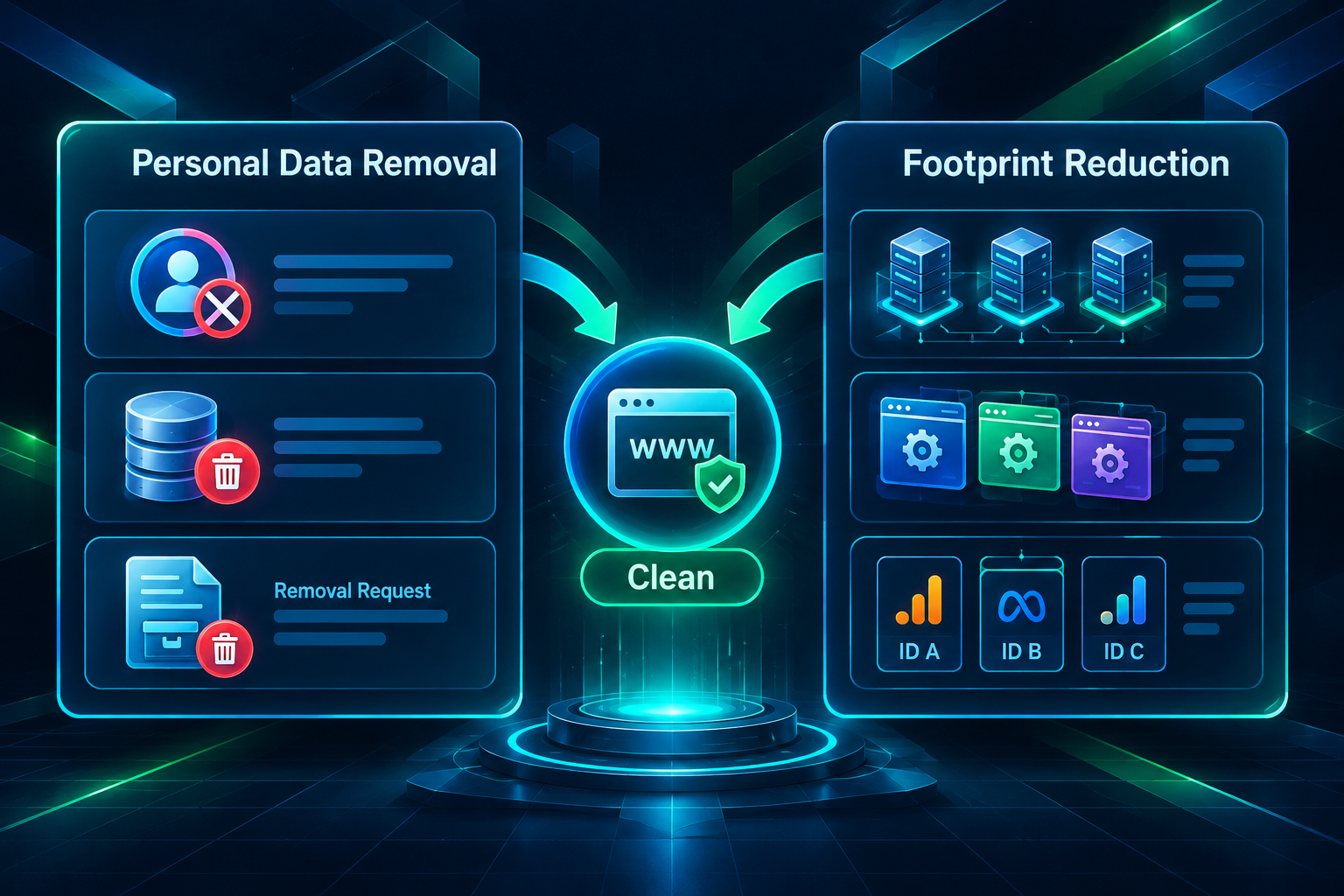
After removing the previous owner’s personal data, review the site for signals that could connect it to your other PBN properties. These include shared hosting IP addresses, identical CMS configurations, duplicate theme or plugin combinations, matching Google Analytics or Search Console property IDs, and consistent naming patterns across domains. None of these signals is individually conclusive, but a combination of overlapping signals across multiple domains increases the likelihood that the network’s structure becomes apparent through ownership research or automated pattern detection.
Using separate hosting accounts, distinct registrar accounts with WHOIS privacy enabled, and varied CMS configurations across PBN properties reduces the connective tissue between sites. The personal data cleanup process described in this article addresses the previous owner’s footprint; your own operational choices determine whether a new ownership footprint develops in its place.
Privacy Compliance Considerations for PBN Operators
Operating a restored domain means assuming responsibility for the data associated with it, including data created before you acquired it. Privacy regulations such as the General Data Protection Regulation (GDPR) in the European Economic Area, the UK GDPR, and comparable frameworks in other jurisdictions apply to whoever controls a domain and processes personal data through it, not only to whoever originally collected that data. If the restored site is accessible to visitors in a regulated jurisdiction — which is effectively any site accessible on the public web — the operator has obligations regarding the personal data the site holds or processes.
The practical implication for PBN site restoration is that retaining the previous owner’s user records, comment data, form submissions, or other personal information without a lawful basis creates a compliance exposure that is separate from any SEO consideration. Deleting legacy personal data as part of the restoration process is the most straightforward way to reduce this exposure. Where deletion is not immediately possible — for example, because data is embedded in archived content that you cannot directly edit — documenting the steps taken to request removal and implementing technical measures to limit further processing is a reasonable interim approach.
This article does not constitute legal advice. If your PBN operation involves significant data volumes, serves users in regulated jurisdictions, or involves commercial activity that triggers specific regulatory obligations, consulting a qualified privacy professional is advisable.
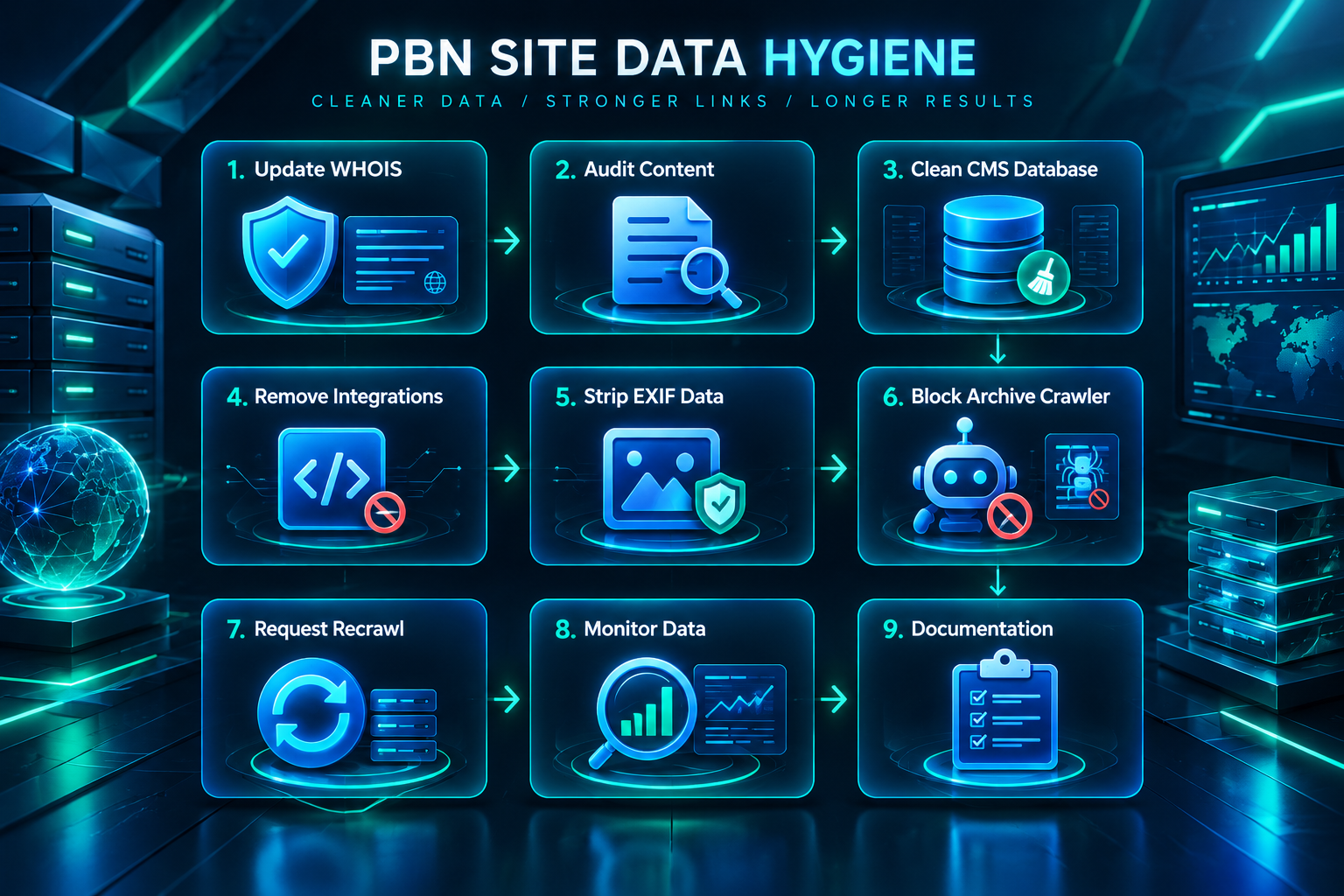
Step-by-Step Cleanup Sequence for a Restored PBN Site
The following sequence organizes the cleanup tasks described above into a practical order. Completing them before the site begins receiving links or traffic reduces the risk of personal data being indexed or cached in its legacy state.
- Update WHOIS registration details and enable WHOIS privacy protection through your registrar immediately after the domain transfer completes.
- Audit the live site’s content for the previous owner’s name, contact details, business references, and author bylines. Edit or remove any content containing this information before the site is crawled.
- Access the CMS database directly and review the wp_users, wp_usermeta, wp_comments, and wp_posts tables. Delete legacy user accounts, orphaned metadata, and comment records containing third-party personal data.
- Audit theme files, plugin settings, and wp-config.php for hardcoded API keys, analytics IDs, and third-party service credentials belonging to the previous owner. Replace or remove them.
- Strip EXIF metadata from all image and document files in the media library using a dedicated tool before making the files publicly accessible.
- Submit a robots.txt exclusion for the Wayback Machine crawler to prevent new snapshots. Submit a removal request to the Internet Archive for existing snapshots containing personal data, providing domain ownership verification.
- Request recrawling through Google Search Console and Bing Webmaster Tools after content changes are complete, to accelerate cache refresh for pages that previously contained personal data.
- Review third-party data broker and people-search sites that may have indexed the previous owner’s WHOIS details. Some of these sites offer opt-out or removal request processes, though coverage and response times vary.
- Document the steps taken, including dates and any removal requests submitted, as a basic record of your data management process.
Monitoring for Re-emergence of Legacy Data
Personal data removal is not always a one-time task. Third-party services periodically re-index domains, and data that was removed from one source may persist in another. Setting up periodic monitoring helps catch re-emergence before it becomes a sustained exposure.
A simple monitoring approach involves running periodic searches for the previous owner’s name or business in combination with the domain name, checking whether any newly indexed pages or third-party database entries have surfaced the legacy information. Google Alerts can automate this for name-based searches at no cost. For WHOIS data specifically, checking the domain’s registration record after any renewal or registrar transfer confirms that privacy protection remains active and that contact details have not reverted to the previous owner’s information.
Backlink analysis tools such as Ahrefs or Majestic may display historical anchor text and referring domain data that references the previous site’s brand or owner. This data reflects the domain’s link history rather than the current site’s content, and it is not directly editable. However, understanding what the historical anchor profile contains is useful context when planning the new site’s content strategy and internal linking, since the domain’s historical associations may influence how the site is perceived by both users and search engines during the early phase of its new operation.
Frequently Asked Questions
Does enabling WHOIS privacy remove the previous owner’s data from all records?
WHOIS privacy protection replaces the publicly displayed contact fields with the registrar’s proxy details going forward, but it does not retroactively remove the previous owner’s information from historical WHOIS snapshots stored by third-party WHOIS history services. Those historical records are maintained independently by services such as DomainTools and similar providers, and they are not controlled by your registrar. Enabling WHOIS privacy is an important first step, but it should be combined with monitoring for historical data surfacing through those third-party sources.
Can I request removal of archived pages from the Wayback Machine?
Yes. The Internet Archive operates a process for site owners to request exclusion of specific URLs or entire domains from public access in the Wayback Machine. The request typically requires demonstrating current ownership of the domain. Adding a robots.txt rule disallowing the ia_archiver user agent prevents new snapshots but does not automatically remove existing ones — a separate removal request is needed for that. Response times for removal requests vary.
What happens to personal data stored in WordPress comment tables when I delete the site’s previous posts?
Deleting a WordPress post through the admin interface does not automatically delete the comments associated with it from the database. The wp_comments table retains comment records independently of post status. To remove comment data, you need to delete the records directly from the database or use a plugin that provides bulk comment deletion with database cleanup. Verify the table is empty or contains only records you have intentionally retained after completing the cleanup.
How does legacy personal data on a PBN site affect its footprint?
Personal data from the previous owner — such as their name appearing in author bylines, their business details in the site’s content, or their contact information in WHOIS records — can be used by anyone researching the domain’s history to identify who previously operated it. If the same individual’s details appear across multiple domains in your network, that creates a connective signal between those properties. Removing legacy personal data eliminates one category of ownership signal, though it does not address other footprint factors such as shared hosting infrastructure or identical CMS configurations.
Do I need to notify anyone when I delete personal data found on a restored PBN site?
Notification obligations under privacy regulations such as GDPR depend on the specific circumstances, including the nature of the data, the volume involved, and whether a data breach has occurred. Routine deletion of legacy personal data as part of site restoration is generally a data minimization measure rather than a reportable event. However, if the data includes sensitive categories of information or if there is evidence that the data was accessed or exposed without authorization, the situation may warrant a more detailed assessment. This is a question for a qualified privacy professional rather than a general SEO guide.
Will removing old content that contained personal data affect the domain’s link equity?
Removing or replacing content pages that previously attracted backlinks can affect how link equity flows through the domain. If the pages being cleaned contained personal data but also held referring links, consider whether a redirect to a relevant replacement page is appropriate. A 301 redirect from the old URL to a topically relevant replacement preserves the referring link’s association with the domain rather than returning a 404 error. This is a standard content migration consideration and applies regardless of whether the content being removed contained personal data.
Making Personal Data Cleanup Part of Every PBN Site Restoration
Treating personal data removal as a standard step in the PBN site restoration workflow — rather than an afterthought — produces cleaner, more manageable network properties. A restored domain that carries the previous owner’s identifiable information into its new operation creates ongoing exposure on two fronts: privacy compliance obligations that attach to whoever currently controls the domain, and ownership signals that can surface through routine domain research. Addressing both during the initial restoration phase is more efficient than attempting remediation after the site has been crawled, indexed, and integrated into a link-building campaign.
The cleanup sequence outlined in this article — covering WHOIS records, CMS databases, archived content, third-party integrations, and media file metadata — provides a practical framework for most restored PBN sites. The specific steps required will vary depending on the domain’s history, the CMS platform in use, and the volume of legacy data present. Sites with a long operational history, active comment sections, or multiple previous owners may require more extensive database work than recently expired domains with minimal content history.
If you are evaluating domains for a private blog network and want guidance on assessing domain history, content quality, and network setup considerations, the team at PBN Backlinks Service can help you review your requirements and discuss what a well-structured campaign might involve for your specific goals.