

Key Takeaways
- Using WordPress itself is not a meaningful PBN footprint because it powers a significant portion of the public web — the platform alone is not a unique identifier.
- A single shared theme or plugin is rarely harmful on its own, but the combination footprint effect — where the same stack of seven or more plugins appears identically across dozens of sites — can become a detectable pattern.
- The most harmful footprints are not usually themes or plugins but WHOIS data, shared IP addresses, identical outbound link patterns, and shared analytics or ad-network codes.
- Google’s detection operates on two layers: SpamBrain’s automated algorithmic scanning and human manual review teams, both of which look for patterns that legitimate websites do not share.
- Good SEO hygiene means minimising your plugin stack, varying it deliberately across your network, and treating popular themes differently from obscure niche tools.
What Is a PBN Footprint?
A PBN footprint is any signal — technical, structural, or behavioral — that allows Google’s algorithms or a human reviewer to identify a group of sites as belonging to the same private blog network. The word “footprint” implies something left behind unintentionally: a trace that reveals a connection between sites that are meant to appear independent. Not every shared characteristic constitutes a harmful footprint. The key question is whether the shared signal is a unique identifier — something that meaningfully narrows down which sites belong together — or simply a common feature shared by millions of legitimate websites.
Footprint classification broadly falls into three categories. A harmful footprint is one that is specific enough to expose the network with reasonable confidence — shared WHOIS registrant data, identical analytics IDs, or the same obscure plugin appearing on 40 sites in a tight link graph. A neutral footprint is technically shared but so widely distributed across the legitimate web that it carries little discriminatory value. A cosmetic footprint is something visible to a human reviewer but not algorithmically detectable and not meaningful in isolation. Most debates about WordPress themes and plugins sit somewhere between neutral and harmful, depending on specifics.
Is WordPress Itself a Footprint?
WordPress alone is not a meaningful PBN footprint. The platform runs a substantial share of all publicly accessible websites, which means detecting “this site uses WordPress” provides almost no ability to distinguish a PBN site from a legitimate blog, news outlet, or business site. Network detection requires specificity: the signal must narrow the field considerably. WordPress does not do that.
However, a default WordPress install does carry identifiable artifacts that many PBN operators overlook. Files such as readme.html and license.txt are present after a standard install and disclose the exact WordPress version. The default sample post, the Hello Dolly plugin, Akismet in an unactivated state, and the default “admin” username are all signals that a site was set up quickly and identically to other sites. None of these individually condemns a network, but when they appear consistently across many domains — especially alongside other signals — they contribute to a recognisable pattern that a manual review team can confirm.
Are WordPress Themes a PBN Footprint?
The answer depends almost entirely on which theme is being used and how widely it is distributed. A theme used by hundreds of thousands of legitimate websites — such as GeneratePress, Astra, or OceanWP — offers no meaningful discriminatory value as a standalone signal. It is the digital equivalent of wearing jeans: far too common to identify anyone specifically. Using a popular theme across your PBN is therefore a low-risk decision from a network detection standpoint, provided other factors are handled correctly.
The risk profile changes significantly when the theme is obscure, niche, or marketed specifically to the SEO and PBN community. A theme that appears on only a few hundred sites in the wild but shows up consistently across a tight cluster of sites pointing to the same money site is a much stronger code signature. Tools like Wappalyzer can detect theme names and versions from a site’s HTML output. More sophisticated crawlers, including those used internally by search engines, can identify theme-injected markup patterns even when the theme name is removed from the code.
The practical guidance on WordPress theme diversity is straightforward: use themes with large legitimate install bases, vary the specific theme across your network where practical, and avoid any theme that exists primarily for PBN use. The goal is to ensure your theme selection does not serve as a unique identifier connecting your sites.
Are Plugins a PBN Footprint? Understanding the Combination Effect
Plugins occupy a more nuanced position in the footprint discussion. A single shared plugin — even a relatively uncommon one — is generally insufficient to expose a network. The issue is what researchers and experienced SEO practitioners call the combination footprint effect: the probability that any two independent, unrelated sites share exactly the same set of seven specific plugins approaches zero. When that identical plugin stack appears across fifty PBN sites, the combination becomes a highly specific identifier.
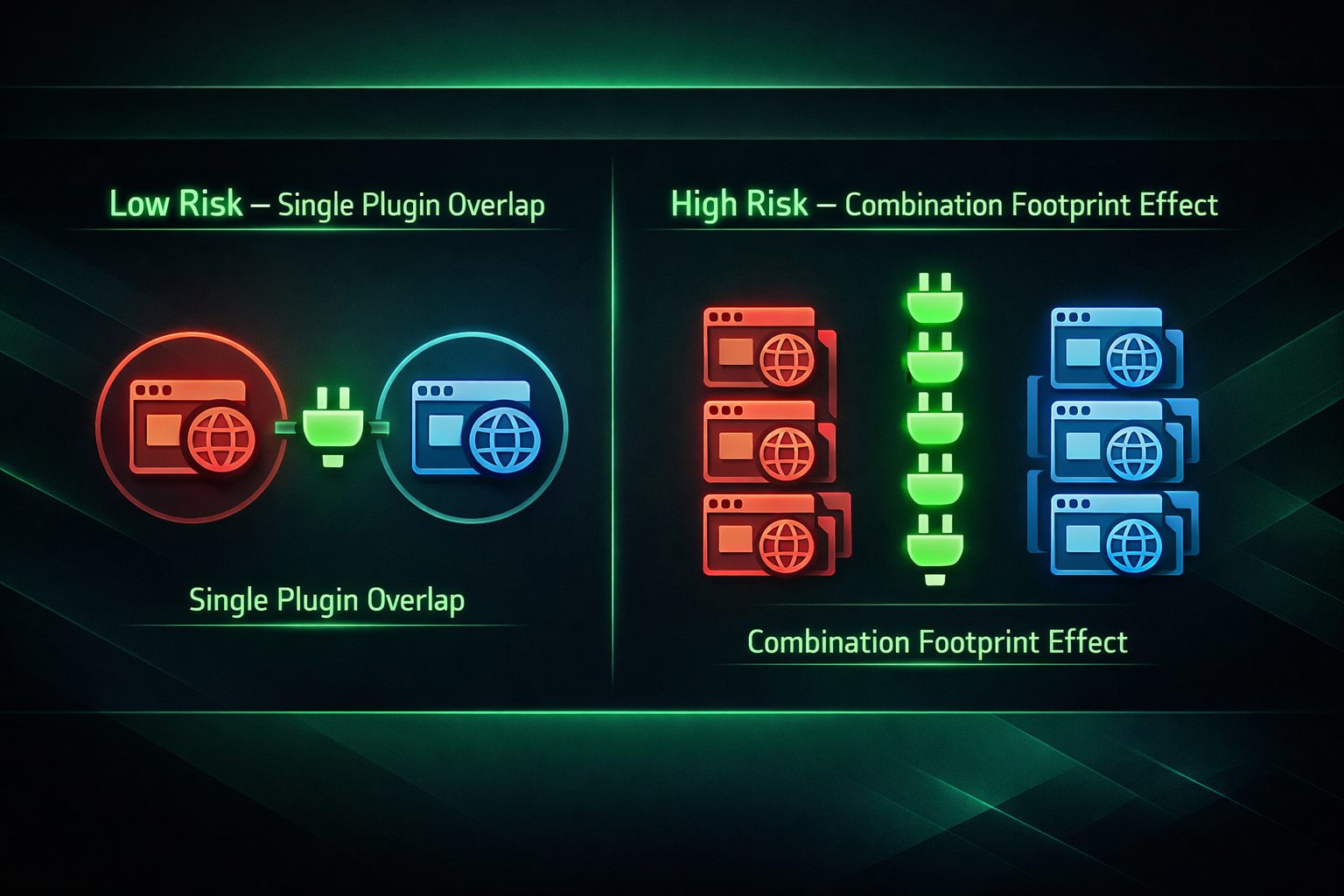
To illustrate the logic: Yoast SEO is installed on tens of millions of sites — harmless as a standalone signal. Contact Form 7 is similarly ubiquitous. But if every site in a network runs Yoast SEO, Contact Form 7, GeneratePress, WP Rocket, Wordfence, and a particular schema plugin all at the same version, that specific combination is statistically unusual. A crawler comparing plugin fingerprints across sites that share a link graph has a meaningful signal to work with.
Beyond the combination effect, plugin-injected scripts represent an underappreciated detection vector. Many plugins insert identifiable JavaScript, HTML structures, or inline CSS into a page’s source code. Even if the plugin name is concealed, the characteristic markup it generates can serve as a code fingerprint. Page builders, caching tools, schema generators, and slider plugins each tend to inject recognisable patterns. A crawler does not need to read your plugin list from the WordPress dashboard — it can infer your plugin stack from what appears in the rendered HTML.
Popular vs. Niche Plugin Risk: A Practical Spectrum
| Plugin or Theme Type | Approximate Install Base | Footprint Risk Level | Recommendation |
|---|---|---|---|
| Major SEO plugin (e.g., Yoast, Rank Math) | Millions of sites | Low — not a unique identifier alone | Acceptable; vary between Yoast and Rank Math across network |
| Popular utility plugin (e.g., Contact Form 7, Akismet) | Millions of sites | Low — too widespread to identify | Acceptable; but remove unnecessary defaults |
| Popular theme (e.g., GeneratePress, Astra) | Hundreds of thousands of sites | Low to moderate — safe if varied | Use across network but vary child themes or settings |
| Mid-tier niche plugin (specific category) | Tens of thousands of sites | Moderate — depends on combination | Avoid using identically across all sites |
| SEO-community or PBN-specific theme or plugin | Hundreds to low thousands | High — small install base = stronger identifier | Avoid or use only on isolated sites |
| Identical full plugin stack (seven or more plugins) | Near zero probability legitimately | Very high — combination footprint | Vary your plugin stack deliberately across all sites |
How Google Detects PBN Footprints in Practice
Google’s approach to PBN detection operates on two distinct layers, and understanding both informs how seriously any given footprint should be taken.
The first layer is algorithmic. SpamBrain, Google’s AI-powered spam detection system, analyses link graphs, content patterns, and site characteristics at scale. The real-time Penguin algorithm — now embedded within Google’s core ranking systems — looks for link patterns that do not occur naturally in organic web ecosystems. SpamBrain does not simply compare plugin lists; it looks at the statistical distribution of site characteristics across the sites linking to a particular destination. When a cluster of sites shares an abnormal number of common features — similar IP ranges, similar site age profiles, similar content structures, and similar technical configurations — the combined signal exceeds what any individual footprint could achieve alone.
The second layer is human. Manual review teams at Google investigate sites flagged algorithmically or reported through spam reports. A human reviewer approaching a suspected PBN will look at source code, WHOIS information, hosting details, content quality, sidebar structure, widget placement, and outbound link patterns. At this stage, technical details that an algorithm might overlook can become confirmatory evidence. A reviewer who sees the same WordPress theme, the same sidebar layout, the same widget set, and the same outbound link destinations across ten sites has sufficient evidence to issue a manual action against the network, regardless of whether each individual signal was statistically significant in isolation.
Default WordPress Install Artifacts: The Overlooked Checklist
Many PBN operators focus on themes and plugins while overlooking the subtle signals left by a default WordPress installation. The following artifacts appear consistently on sites that were configured quickly and identically, making them useful indicators for both automated crawlers and manual reviewers.
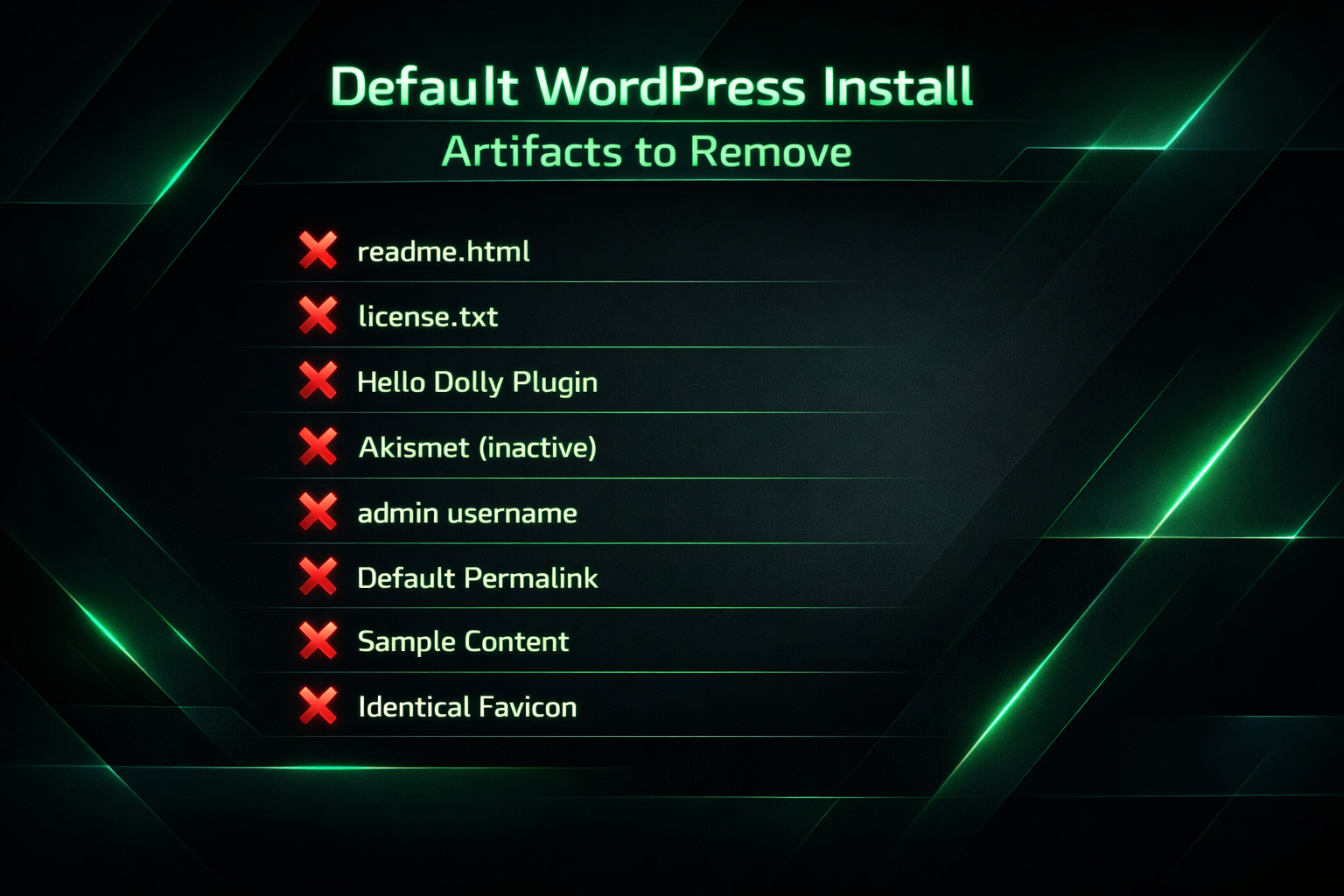
- readme.html and license.txt — disclose the exact WordPress version; should be removed or blocked via robots.txt after installation.
- Hello Dolly plugin — installed by default; has no functional purpose on a PBN site and its presence suggests a minimal setup effort.
- Akismet in an inactive state — appears in many default installs; activate it properly or remove it.
- Default “admin” username — a widely known signal of a quickly deployed WordPress site; use a unique username on each installation.
- Default permalink structure — the
/?p=123format is the WordPress default and differs from how most legitimate content sites are configured. - Sample post and page content — “Hello World” posts and sample pages should be deleted before the site is used.
- Google Fonts loaded uniformly — whether Google Fonts is enabled or disabled identically across all network sites can be a minor but detectable consistency signal, particularly when combined with other indicators.
- Favicon absence or identical favicon — sites launched from a template without individual branding present consistently across a network.
- EXIF data in images — image files created with the same online logo tool or graphic generator may contain matching EXIF metadata that reveals a shared creation workflow. Using different image tools or stripping EXIF data is a basic SEO hygiene measure.
Building a Minimal, Varied Plugin Stack
The philosophy most consistent with reducing plugin-related footprints is minimalism combined with deliberate variation. Every plugin added to a site increases the number of potential matching signals. Every plugin shared identically with other sites in the network increases the specificity of the combination fingerprint. The practical objective is a plugin stack that is purposeful, lean, and meaningfully different from site to site.
A functional PBN site typically needs only a small number of plugins: an SEO plugin for meta data and sitemaps, a caching or performance plugin, and possibly a security plugin. Rotating which SEO plugin is used — Yoast on some sites, Rank Math on others — immediately reduces the combination match rate across the network. Similarly, varying caching plugins (WP Super Cache, W3 Total Cache, WP Fastest Cache) prevents a uniform technical fingerprint while serving the same functional purpose.
Plugins that inject significant HTML or JavaScript — page builders, review schema tools, slider plugins, popup builders — deserve particular scrutiny. Their plugin-injected scripts are visible in page source without any access to the WordPress dashboard. If a network consistently uses the same page builder, the characteristic markup it generates across dozens of sites can serve as a structural code fingerprint even when the plugin name is obscured. Where a page builder is not functionally necessary, removing it and using a lightweight theme eliminates that vector entirely.
Tools for Auditing Your Own Network
Before a manual reviewer or competitor identifies patterns in your network, you can audit it yourself using the same category of tools that external parties might use.
Wappalyzer detects CMS platforms, themes, plugins, and JavaScript libraries from a site’s public-facing output. Scanning a sample of your sites with Wappalyzer reveals which technologies appear consistently and which vary appropriately. If every site in your audit returns the same theme, the same SEO plugin, and the same caching tool, your combination footprint risk is elevated.
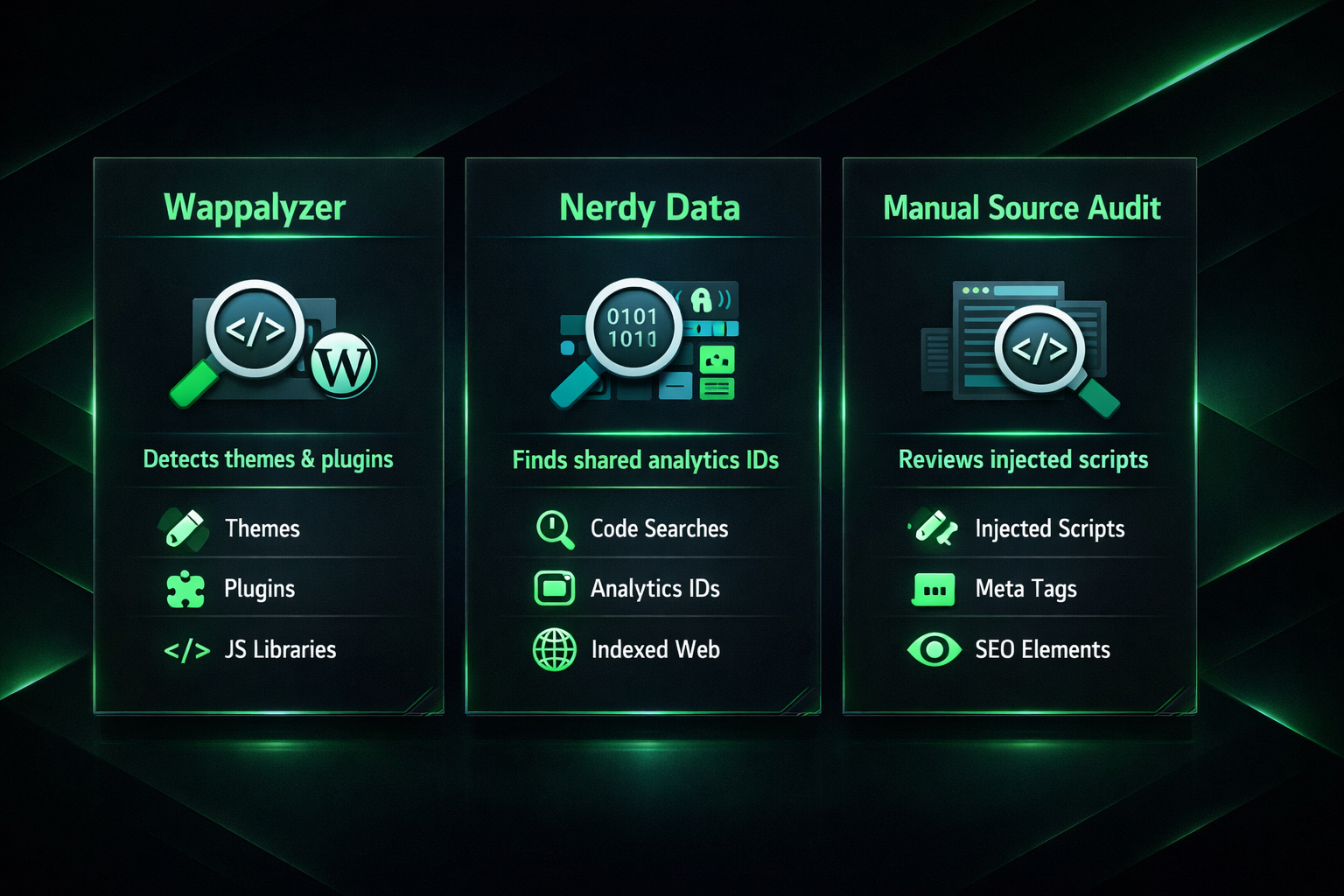
Nerdy Data allows searches for specific code strings, analytics IDs, and script patterns across its indexed web database. A shared Google Analytics property ID, Google Tag Manager container ID, or AdSense publisher ID appearing across multiple sites is one of the fastest ways a network is identified — and Nerdy Data makes this type of cross-site lookup accessible to anyone. Ensuring each site has a unique analytics configuration, or none at all, is essential.
Manually reviewing page source across a random sample of your sites for recurring HTML structures, injected script patterns, and consistent meta tag formats helps identify plugin-level code signatures that tool-based audits might not surface cleanly. Combining both approaches provides the most complete picture of where your network’s detectable patterns lie.
The Footprints That Matter Most
Themes and plugins occupy a relatively moderate position in the overall hierarchy of PBN risk signals. The footprints that consistently lead to network detection and de-indexing are more fundamental. Shared WHOIS registrant data — even behind privacy services that use the same provider for all domains — can expose network relationships. IP address clustering, particularly when multiple sites share a C-Class IP block or the same hosting account, is a strong structural signal. Shared outbound link patterns, where each PBN site links to the same small set of money site URLs, is arguably the most analytically obvious indicator of coordinated linking behavior.
Identical content templates, shared author names, the same contact information, and social profile patterns that mirror one another across sites also contribute significantly to what makes a network recognisable. A harmful footprint in these categories carries substantially more weight than a shared theme or plugin in most detection scenarios.
This context does not mean theme and plugin hygiene is unimportant — it means it should be proportionate. Addressing hosting diversity, WHOIS variation, content uniqueness, and link pattern diversity provides a stronger return on effort than obsessing over minor plugin differences. Once those fundamentals are handled, theme diversification and plugin stack variation become the next logical layer of SEO hygiene.
Frequently Asked Questions
Does using the same theme across all PBN sites guarantee de-indexing?
No. A popular theme used across many sites is not a unique identifier and is unlikely to trigger de-indexing on its own. The risk increases when the theme is obscure, when it is combined with other identical signals across the network, or when a manual reviewer encounters it alongside stronger footprints like shared hosting or identical outbound links.
Is it safer to use a different CMS for some PBN sites?
Using different content management systems — for example, a mix of WordPress, a flat-file CMS, or a static site generator — across a network does increase technical diversity and removes WordPress-specific artifacts as a consistent signal. However, CMS diversity alone does not compensate for weak hosting infrastructure, shared WHOIS data, or repetitive link patterns, which carry more detection weight.
Can Google actually read my plugin list?
Google’s crawlers cannot access the WordPress dashboard directly, but they can infer a significant portion of a site’s plugin stack from the public-facing HTML, JavaScript, and CSS that plugins inject. Theme and plugin names sometimes appear in HTML comments, script filenames, and asset paths. A crawler does not need admin access to identify a characteristic plugin-injected script pattern.
How many plugins are too many to share across a network?
There is no fixed threshold, but the risk increases proportionally with the number of identical plugins and the size of the network. A two-plugin overlap across hundreds of legitimate sites is statistically unremarkable. A seven-plugin overlap across thirty tightly linked sites is statistically improbable in an organic web context and becomes a stronger combination footprint.
Does SpamBrain specifically look at plugin data?
SpamBrain is an AI-based system that analyses patterns at a statistical level rather than applying fixed rules. It is unlikely to flag a site purely because of a specific plugin. Its strength lies in identifying clusters of sites that share an unusual combination of signals — including technical, structural, and link-graph characteristics — that rarely occur together in legitimate web publishing.
What is the single highest-risk footprint to fix first?
For most networks, shared hosting infrastructure — including shared IP addresses, shared C-Class blocks, or multiple domains registered under the same WHOIS details — represents the highest-priority footprint to address. These structural signals are more specific and more consistently exploited by detection systems than shared theme or plugin choices.
Balancing Theme and Plugin Decisions Against What Actually Drives Detection
WordPress themes and plugins can contribute to PBN footprints, but whether they constitute a harmful footprint depends on three factors: the popularity of the theme or plugin, the degree to which the same combination appears identically across the network, and whether those technical signals appear alongside stronger structural footprints. A popular theme used across all your sites is a neutral signal at best. An obscure SEO-focused theme combined with an identical plugin stack across a tightly linked cluster of sites approaches a meaningful unique identifier.
The most productive approach is proportionate: prioritise hosting diversity, WHOIS variation, content authenticity, and link pattern naturalness first, then layer in deliberate theme diversification and plugin stack variation as a secondary measure. Audit your network periodically using Wappalyzer and source-code inspection to identify any combination patterns that have emerged over time. Remove default WordPress install artifacts from every site as a baseline standard. Vary your plugin stacks purposefully, choosing popular alternatives that serve the same function rather than installing identical sets across every domain. These steps, taken together, represent practical and proportionate SEO hygiene for any PBN operator who wants to reduce detectable patterns without over-engineering the technical layer at the expense of more important fundamentals.